WPF 极坐标简单应用
在圆形布局中说过极坐标。
极坐标是长度和边与极轴之间的角度的坐标表示。
换句话说,只要知道角度和长度(与中心点的距离),我们就能求出这一点的坐标,相对的我们知道这个一点的XY坐标也能求出角度和长度。
极坐标的工具性真的很强,在绘图,动画上 有很大的帮助,计算过程要简单不少。
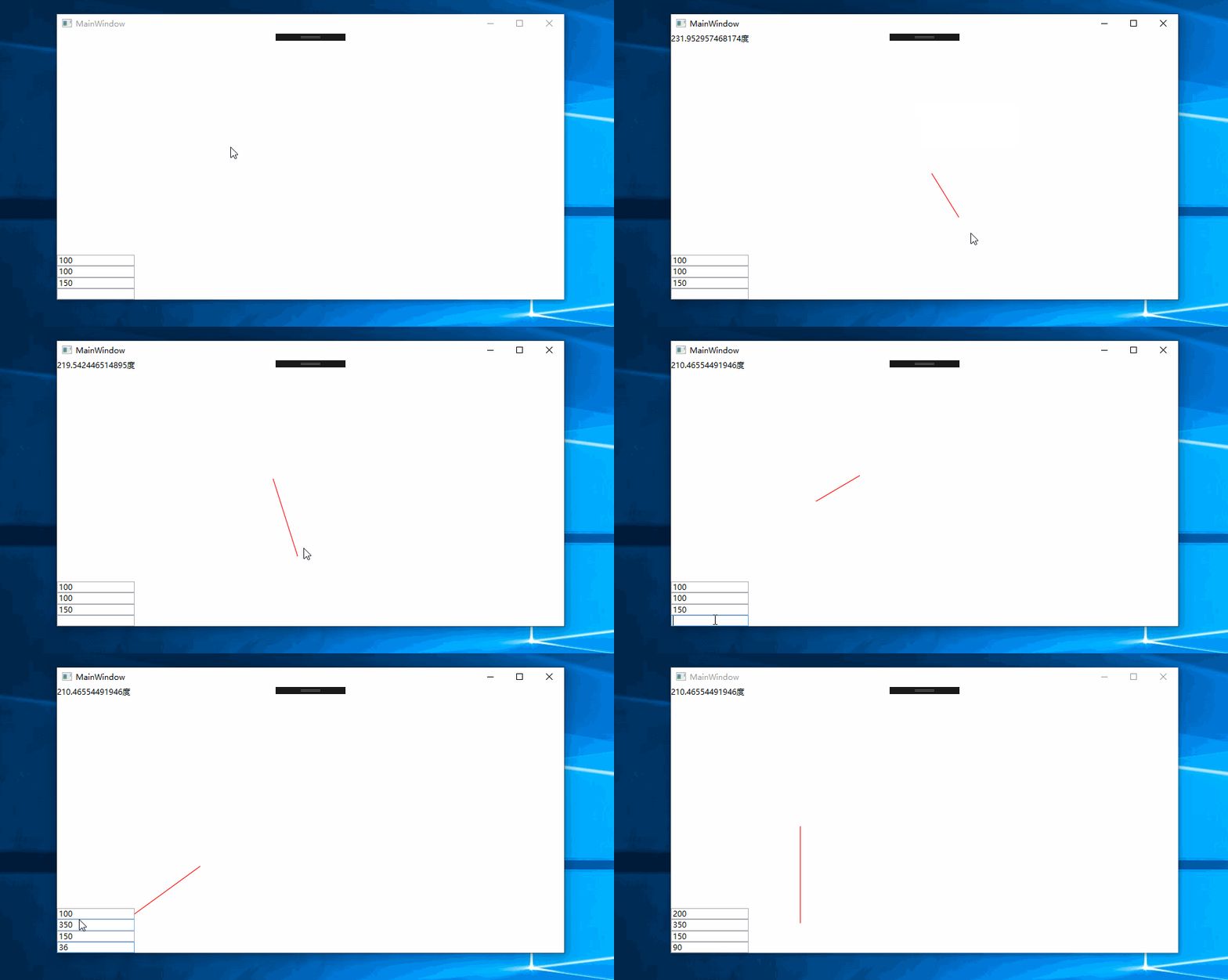
下面我给出一个简单的小栗子
截图:
using System;using System.Windows;using System.Windows.Input;using System.Windows.Media;using System.Windows.Shapes;namespace 极坐标综合应用{ /// <summary> /// MainWindow.xaml 的交互逻辑 /// </summary> public partial class MainWindow : Window { public MainWindow() { InitializeComponent(); } private Line DrawLine; private bool IsDraw; private Line SetBaseLine() => new Line() {Stroke=new SolidColorBrush(Colors.Red),StrokeThickness=1.1 }; private void C1_MouseDown(object sender, MouseButtonEventArgs e) { if(e.LeftButton==MouseButtonState.Pressed) { c1.Children.Clear(); IsDraw = true; DrawLine = SetBaseLine(); DrawLine.X1 = e.GetPosition(c1).X; DrawLine.Y1 = e.GetPosition(c1).Y; DrawLine.X2 = e.GetPosition(c1).X; DrawLine.Y2 = e.GetPosition(c1).Y; c1.Children.Add(DrawLine); } } private void C1_MouseMove(object sender, MouseEventArgs e) { if(e.LeftButton==MouseButtonState.Pressed) if(IsDraw==true) { DrawLine.X2 = e.GetPosition(c1).X; DrawLine.Y2 = e.GetPosition(c1).Y; } } private void C1_MouseUp(object sender, MouseButtonEventArgs e) { if (e.LeftButton == MouseButtonState.Released) { IsDraw = false; CoodSystem(); } } private void CoodSystem() { var startpoint = new Point(DrawLine.X1, DrawLine.Y1); var enpoint = new Point(DrawLine.X2, DrawLine.Y2); //转换为笛卡尔坐标 var sub = Point.Subtract(enpoint, startpoint); var x = sub.X; var y = sub.Y; //转换公式 sub = new Vector(x, 0 - y); //求出tan var k = y / x; //转换角度 var angle = 180 / Math.PI * Math.Atan2(y, x); t1.Text = $"{(angle<=0?Math.Abs(angle):360-angle)}度"; } double ToRandion(double angle) => angle * (Math.PI / 180); void Create(Line l1, double angle,double len) { //转极坐标公式求X值 var x = len * Math.Cos(ToRandion(angle)); //转极坐标公式求Y值 var y = len * Math.Sin(ToRandion(angle)); //笛卡尔转屏幕坐标 x =l1.X1 + x; y = l1.Y1 - y; l1.X2 = x; l1.Y2 = y; } Point GetMid() => new Point(c1.ActualWidth / 2, c1.ActualHeight / 2); private void T2_KeyDown(object sender, KeyEventArgs e) { var x =Convert.ToDouble( xt.Text); var y = Convert.ToDouble(yt.Text); var len = Convert.ToDouble(lt.Text); c1.Children.Clear(); DrawLine = SetBaseLine(); DrawLine.X1 = x; DrawLine.Y1 = y; Create(DrawLine, Convert.ToDouble(t2.Text),len); c1.Children.Add(DrawLine); } }}

No comments:
Post a Comment